Version 3
Release Date: March 2026
Overview
Version 3 of the calculator includes several new features and improvements. This page will help you understand what's new and how to use the new features to improve your experience with the calculator.
Year Specific Emission Factors
We have introduced multiple years emission factors into the system. Based on the trial's start year, the system will select the correct emission factors to use in the calculation.
| Year | Emission File |
|---|---|
| 2024 | 2024 Data Download link |
| 2025 | 2025 Data Download link |
| 2026 | 2026 Data Download link |
If you are modelling a trial outside of these current data ranges the system will select the closest year.
Any trials before 2024 will simply use the 2024 dataset. Likewise any trial after 2026 will use the 2026 dataset.
Multiple Assessment and Comparison of Results
Working with multiple trials before meant import and export JSON files with no ability to compare one trial to another for what if analysis.
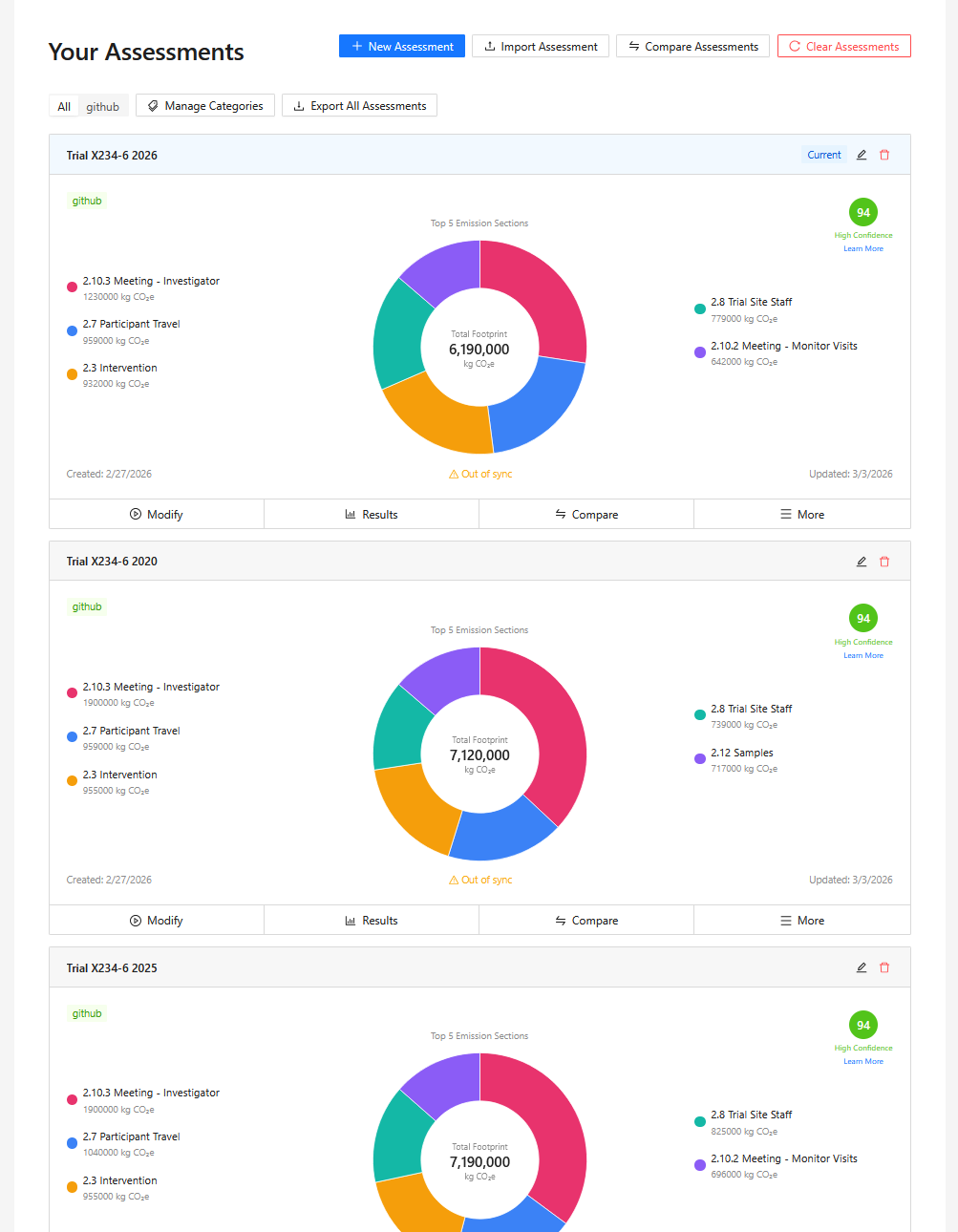
Starting in version 3 the tool now supports having multiple trials stored in the browser. Performing "what if analysis" is now much easier with the ability to duplicate an existing trial as the basis for the new trial.
It's still possible to import and export individual trials but we now support the ability to import and export the collection of trials stored in the browser. All the data remains stored locally in the browser.
Default Values Identification
The calculator input sections will provide some default values and also generate approximate values if requested. These values are now highlighted so you can easily and quickly locate the default values.
Any input field that has a yellow background and shows the caption below is a default value. Ideally you should replace these values with your own values for the trial.
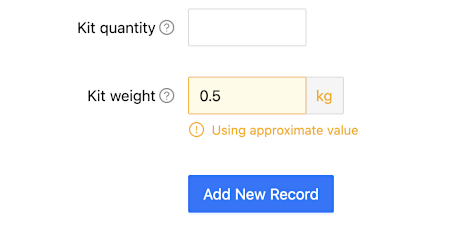
The fewer default and approximate values that are used in your trial, the more accurate the result will be for your actual trial.
Results Confidence Indicator
On the results page the system will display a confidence indicator that scores the quality of the data entered for the trial. The score is out of a possible 100 and a traffic light system gives clear indication to the user.
The scoring system is based on the following three areas
- The number of sections completed in the calculator
- The amount of default and approximate data used in each section, the less default values used the better the score will be.
- Where it's possible to enter country specific data those sections would be scored higher than if a single global profile is used.
- Data that is entered as a spend amount would receive a lower score, using spend is a less accurate way of entering data.
2.2.2 Countries Trial Undertaken In
Country Specific Electrical Emission Factors
When defining the countries that the trial is undertaken in, the system will show the country specific electrical emission factor.You are free to override this value to take into account any specific information you have about the trial. If the value is overridden the system will use this value in all relevant calculations.
When we don't have the country specific emission we will use the global default value. When this occurs we clearly show in the section that the global default value is being used.
To speed up data entry, you can now use an existing country and duplicate it when adding another country. All existing data, except the country name and electrical emission factor, is copied to the new entry. This lets you quickly create a similar country and then make any required adjustments.

Overnight Hospital Stays
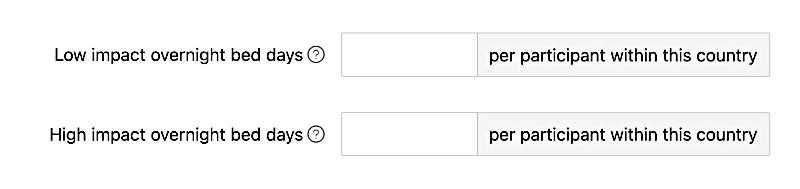
While defining the countries in the section 2.2.2 - Countries Trial Undertaken In it's now possible to define the number of Low impact overnight bed days and High impact overnight bed days per participant.
2.3 Interventional Products
Multiple Supply Locations
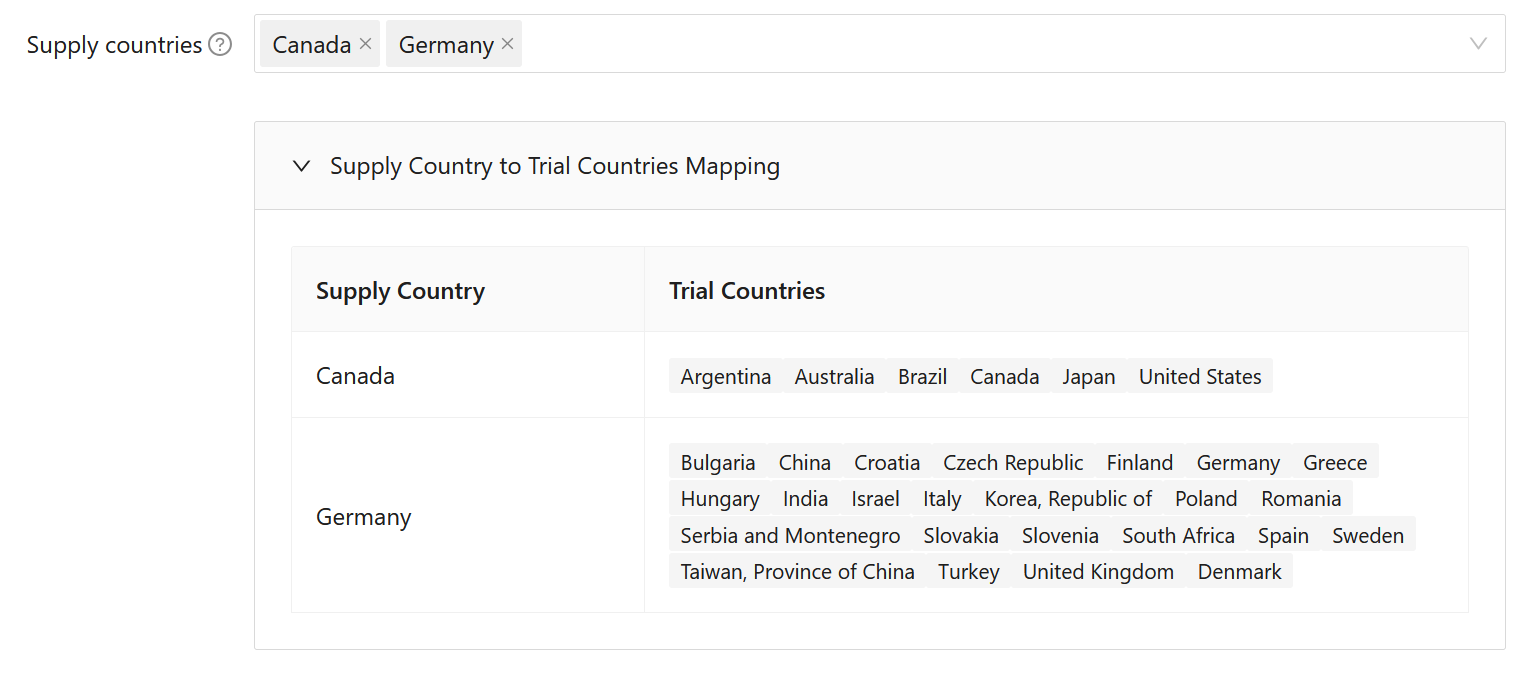
Multiple countries can now be defined as supplying locations. The system will then automatically assign the closest supply country for each trial site. In previous versions only a single supply country was supported.
The system will also show which trial sites are assigned to the supplying country.
2.4 Lab Kits
Multiple Supply Locations
Similar to the interventional products section, multiple supply countries can now be defined for lab kits. The system will then automatically assign the closest supply country for each trial site.
2.5 Other Participant Devices
New Device: Smart Watch
The list of possible devices has been expanded to include a Smart Watch.
Reusable and Participants Own Device
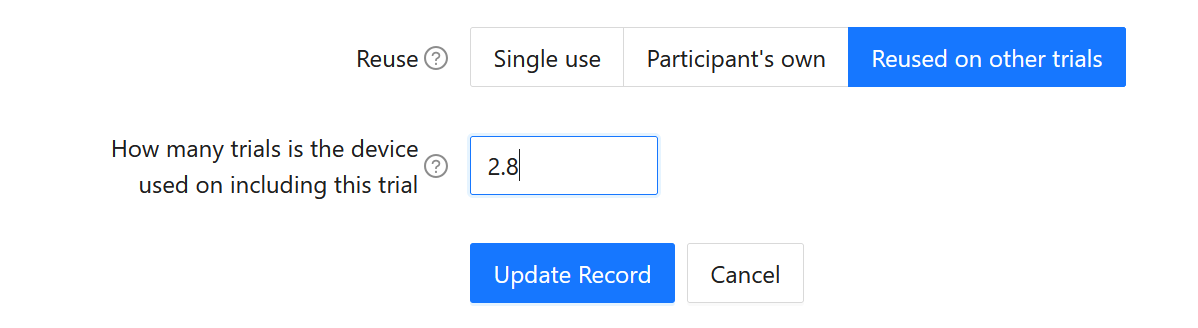
A device can now be defined as either
- Single use (previously the only option)
- Participants own device
- Reused a set number of times
Based on that information the calculator then changes how the supply, manufacture and EOL numbers are calculated.
2.8 Trial Staff (previously called Trial Site Staff)
Country Specific Entry
Optionally the calculator supports the ability to define country specific trial staff data, again this allows you to take into account country specific travel modes and distances.
2.9 Trial Management
Country Specific Entry
Like the previous two changes above, this section also supports trial country specific data entry to allow for better modelling of country specific variations.
2.12 Samples
User Selectable Analysis Type
The type of analysis that is performed on the samples is now user definable. The possible analysis types include
- Full blood examination
- Coagulation profile
- Urea and electrolytes
- C‐reactive protein
- Arterial blood gases
- Sample Analysis
Multiple Central Laboratories Locations
Central labs now support multiple countries being selected for the processing and storage of the samples. The system will assign the closest central lab to the trial country.
A table shows the assignment of trial countries to the central labs.
Custom Central Shipping Boxes
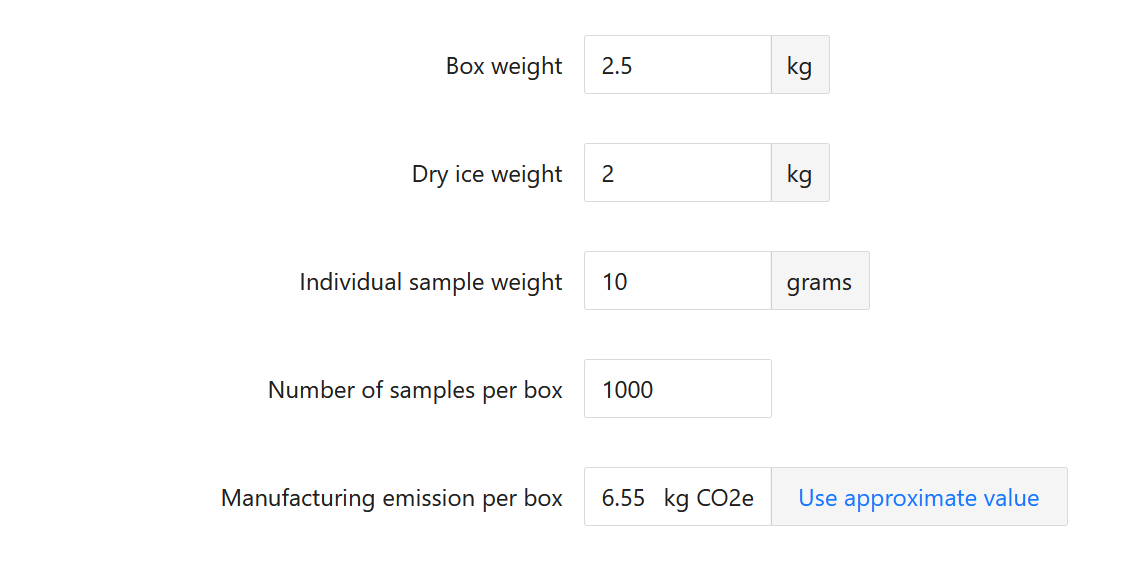
For the various sample shipping temperatures it is now possible to define a custom shipping definition to take into account the weight of the shipping container, the amount of dry ice, the number of samples shipped per container and the manufacturing emission of the container.
The system also retains the simple built in shipping options.